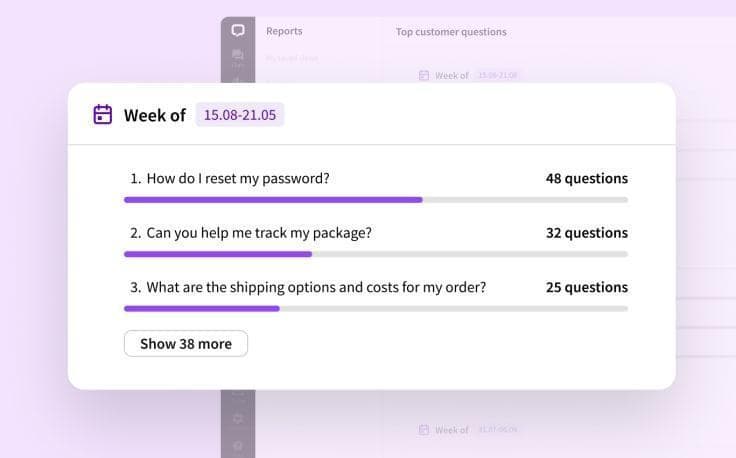
A company website may include plan descriptions, instructions, and support contacts. Yet users still search Google for how to change a subscription, find the final price, or contact an operator. The same questions may appear in a customer Telegram chat even when the answers have already been published.
The reasons vary. One person may struggle to find the right page. Another may read the terms but not understand them. A third may encounter an error that the instructions do not cover at all.
In October 2026, SEO consultant Jono Alderson suggested treating some search queries as a reason to review product usability and information accessibility. For example, frequent searches for how to cancel a subscription may indicate friction in the cancellation process itself.
Search statistics do not reveal why a person asked a question. To understand the reason, you need to compare search queries with real customer messages and check exactly where the user runs into difficulty.
Below, we will look at how to collect these questions, research Google search results, fix problem areas on the website, and organize further work with requests in Telegram.
Why Customers Keep Asking Questions That Already Have Answers
Repeated requests are useful to group by cause. This determines what actually needs to be fixed: where information is located, its content, the instructions, or the product itself.
The Answer Exists, but It Is Hard to Find
Suppose a service allows several employees to use one plan. The terms are listed in the documentation, but the user searches for this option using the familiar word “team.” In the interface, the relevant section has a different name.
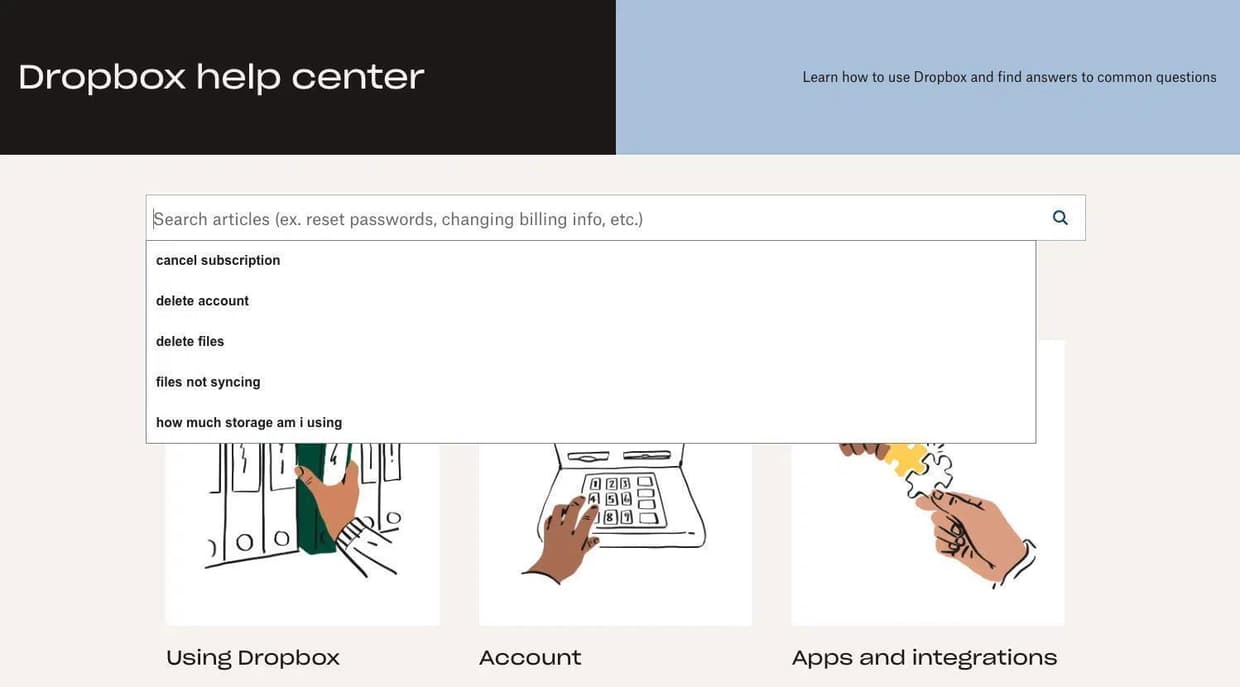
The person may browse several pages, contact an operator, or continue searching in Google. An additional article with the same terms will help only if the user can actually find it.
A similar problem was described by a small SaaS owner on Reddit. He regularly answered the same questions by email even though the website already had an FAQ section. In his experience, visitors either could not find the page or had difficulty searching within it.
You can test how accessible an answer is manually. Take the wording from a customer request and try to find the information starting from the page where the relevant action begins. For example, information about the number of employees should be available while the user is choosing a plan.
If the required instructions can only be found after going through several intermediate sections, consider revising the navigation or adding a link directly next to the relevant setting.
The Answer Is Found, but It Still Leaves Questions
Sometimes the information is easy to see but still not sufficient to make a decision.
For example, a pricing page may show the minimum price but not clearly explain surcharges for additional accounts. The customer sees the price and then contacts an operator for the final calculation.
In that situation, check whether the plan description is complete. If the price depends on the number of users, billing period, or enabled features, those conditions should be clear before purchase.
The same approach applies to delivery, returns, and product compatibility. The more conditions affect the outcome, the more important it is to show them close to the main action.
The Customer Encountered an Error or an Exception
A question such as “why is this feature not working?” may be caused by outdated instructions, unsuitable settings, or a service issue.
Here you need to determine the circumstances of the request. It is useful to clarify what action the user was taking, what result they expected, and what actually happened.
If the interface has changed, update the instructions. If a bug is found, pass the information to the employee responsible for the product. If the problem is related to individual order conditions, the operator should review the specific case.
Once the questions are separated this way, it becomes easier to determine which ones require website changes and which should be handled by support.
Collect Repeated Questions from Customer Requests
Start with conversations the team already has access to: direct messages to work accounts, your own customer chat, and comments in the community.
For an initial review, you can take the latest 20–30 requests on a selected topic. If there are few messages, use all available messages from a defined period.
For each question, record the original wording, the circumstances of the request, and the operator’s answer. It is also useful to note whether the person repeated the question after receiving an explanation.
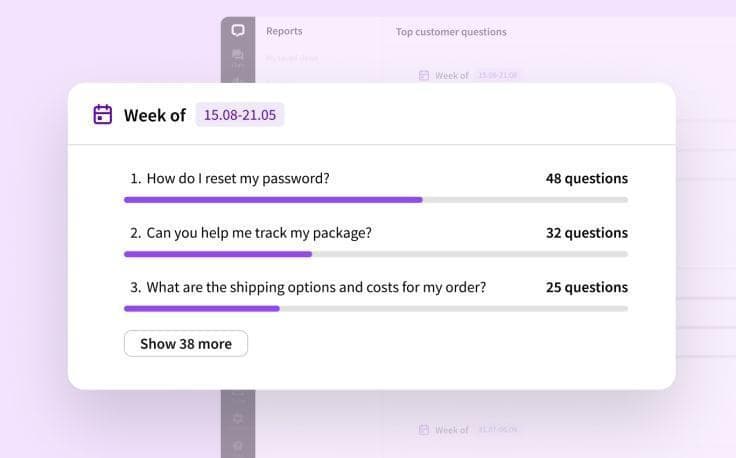
For example, the messages “where can I see the price for a second employee?” and “can I add one more person?” may belong to the same topic. However, the reasons for the requests still need to be identified separately. In the first case, the customer is looking for a price; in the second, they are checking whether the feature is available.
When grouping questions, preserve the users’ original wording. You can later use it to search for the same phrasing in Google and check whether the names used on the website are clear.
Real examples of repeated questions can also be found in real channels. Owners often simply do not have enough time to monitor discussions constantly, so they hold an open Q&A session.
This example shows how repeated requests become visible to the company itself. The next step is to identify their causes and prepare information that customers can access on their own.
Find Questions About the Company in Google
Once the main topics have been collected, you can move on to search data. It can help show which phrases people use to find the website and which pages Google displays for the corresponding queries.
Check Queries in Google Search Console
In Google Search Console, open the Performance section with search results.
The report includes queries for which the site’s pages appeared in Google, as well as impressions, clicks, and other metrics. The data can also be viewed separately by page, country, and device.
First, find queries that contain the brand name and words related to the questions you have already collected. For example:
service name + price;
service name + support;
service name + refund;
service name + error;
service name + feature name.
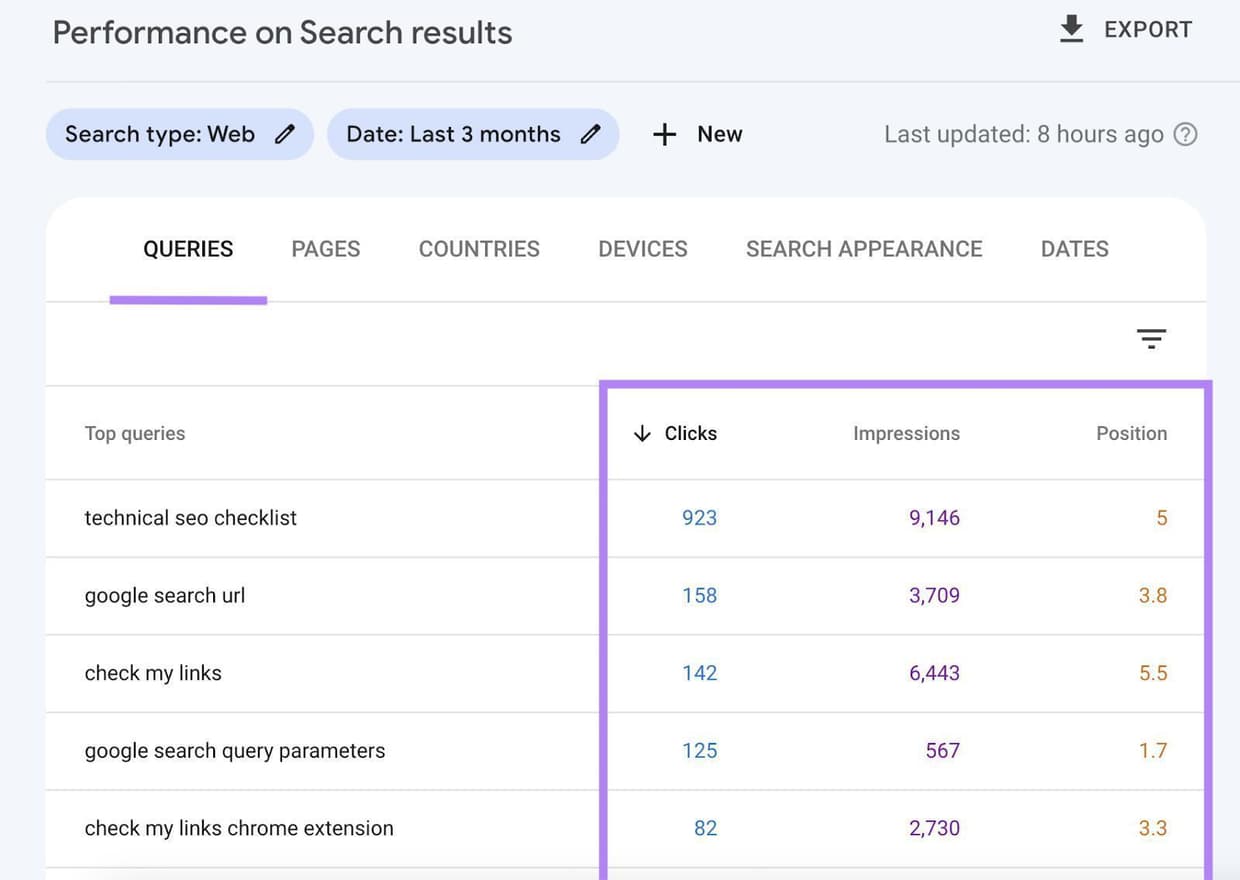
Then check which page received impressions for each phrase.
Suppose a user searches for how to cancel a subscription, but the results show a general pricing page. Check how easy it is to get from that page to the required instructions and whether the current terms are shown there.
Search Console has limitations. The service shows data about your own site appearing in Google, while rare queries may be hidden to protect user privacy. Google also describes limits on the number of rows in reports.
Therefore, the absence of a particular question in the statistics does not mean people are not asking it. For a fuller picture, use customer requests and manual search-result checks as well.
Check What Answers Google Shows in the Target Region
Search Console shows queries associated with the website, but to assess whether an answer is actually accessible, it is useful to open the search results themselves.
Enter one of the phrases you found and check:
Whether the company’s official website appears.
Which page is shown to the user.
Whether the page title matches the question.
Whether the page contains current terms and conditions.
Whether outdated instructions or third-party discussions appear in the results.
If you work across several markets, run the check for each important region. Google results can vary depending on location and other search conditions.
For these tasks, you can use SerpProxies. The service provides proxies that let you send requests through IP addresses in selected countries and cities. Residential proxies with geographic targeting are suitable for checking search results.
Connect the proxy to a browser or a search-result checking tool that supports proxy connections. Then choose the required region and repeat the query.
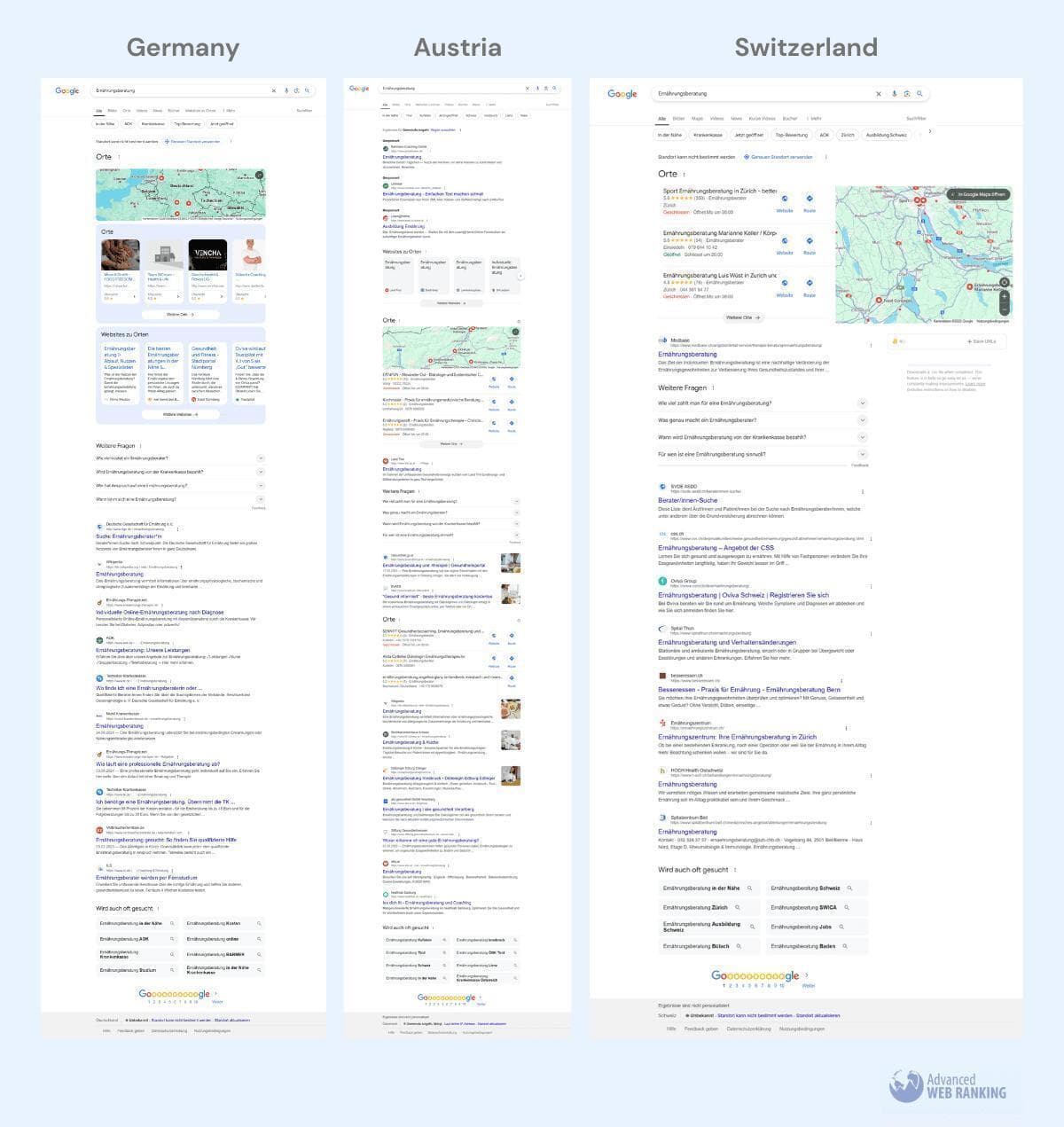
SerpProxies supports changing the IP between requests and keeping an address fixed for a series of queries. For several consecutive checks, you can use a sticky connection; when processing different queries, you can rotate the IP.
For example, suppose a company serves customers in Germany and Poland. The team checks the same question about service pricing from both regions and records which official pages appear in the results. Language, date, device, and test conditions are recorded separately.
This can reveal that one region shows the current page while another sends users to an outdated plan description.
A separate tool is required to perform the searches and display the results. SerpProxies provides the network connection for this work.
After checking the search results, the team will have two sets of information: real customer questions and the pages users may find through search.
Identify the Cause of Each Question and Make Corrections
Now follow the same path a user takes when looking for the required information.
For example, if a customer asks about adding a second employee, start with the pricing page. Check whether the terms are present, then open the account settings and try to complete the action using the current instructions.
Based on the review, you can determine where changes are needed.
Where can I see the full price?
What to check: Plan contents, surcharges, and payment terms
What to fix: The pricing page and the corresponding support response
How to verify the result: The customer can determine the price without asking an operator
How do I enable the feature?
What to check: The setting name and the path to it
What to fix: Interface labels, instructions, or navigation
How to verify the result: The user finds and completes the action independently
Why is the feature not working?
What to check: The sequence of actions, settings, and possible error
What to fix: The instructions or the identified issue
How to verify the result: A repeat check confirms correct operation
How do I cancel the subscription?
What to check: Availability of the cancellation procedure and whether the terms are current
What to fix: The subscription management section and the help page
How to verify the result: The user can complete the specified steps
Where can I contact support?
What to check: Visibility of contact details and contact rules
What to fix: The contact page and links inside the product
How to verify the result: The user reaches the correct support channel
After updating a page, it is important to update employee responses as well. If the website already shows new terms but the operator continues to use an old template, the customer will face conflicting information again.
Consider a hypothetical educational service. Users ask whether one course can be taken from two devices. The pricing page does not address this question, while support employees explain the current rules every time.
The team should verify the access rules, add the relevant explanation to the plan description, and give operators a link to the updated page.
After publication, check the answer through search and follow the user path from choosing a plan to the corresponding instructions.
How to Organize Handling of New Questions in Telegram Expert
Once the main problems have been fixed, work with customer requests continues. New questions appear about new features, changed terms, and individual orders. When several Telegram accounts are involved, the team has to review conversations regularly, forward messages to responsible employees, and repeat the same explanations.
For this work, you can use Telegram Expert. It is software for managing Telegram accounts and automating operations with messages, chats, and audiences. In this scenario, useful functions include searching for relevant communities, monitoring messages by keywords, forwarding incoming requests, and using template replies.
Monitor Questions in Customer Chats
Once the team has identified the main request categories, prepare a list of words and phrases to monitor.
For a subscription service, for example, these may include “cancel,” “refund,” “plan,” and the names of features that commonly cause difficulties.
Telegram Soft Expert includes the Interceptor module for this purpose. It monitors messages containing specified words in selected sources and forwards matches to a designated chat or channel.
The setup includes several steps.
Choose a work account. It must have access to the chats, channels, or dialogs whose messages you want to monitor.
Add sources. In the “Content Donors” section, select the required communities. The “Get Data” button loads the list of resources available to the account.
Specify the chat that will receive messages. In the “Forwarding Targets” section, choose where the detected messages should be sent.
Enter keywords. Add phrases from the request categories collected earlier. If necessary, configure forwarding with a reference to the original message.
After launch, check which messages arrive in the selected chat.
For example, the word “refund” may appear in a complaint, a question about the terms, or a message saying that the money has already been received. The employee therefore needs to read the detected message and decide whether a response is required.
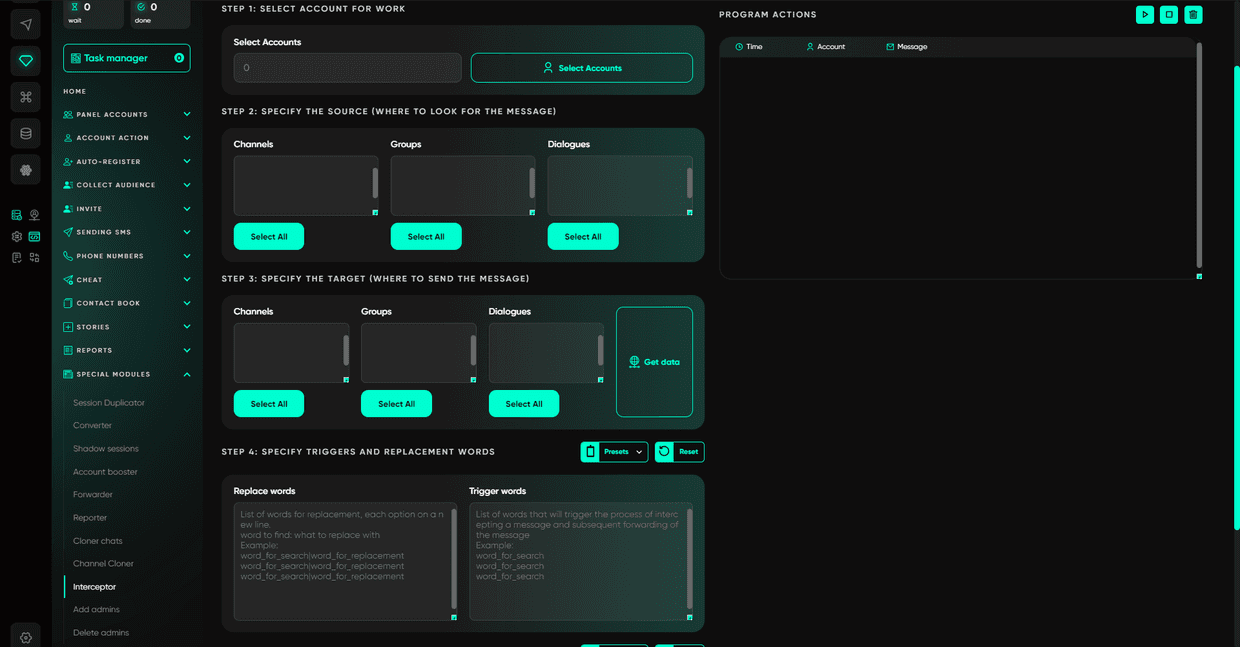
If you need to research other relevant communities, you can use Telegram Expert’s Global Search. The module searches for groups, channels, and users by specified words. The results can then be reviewed manually.
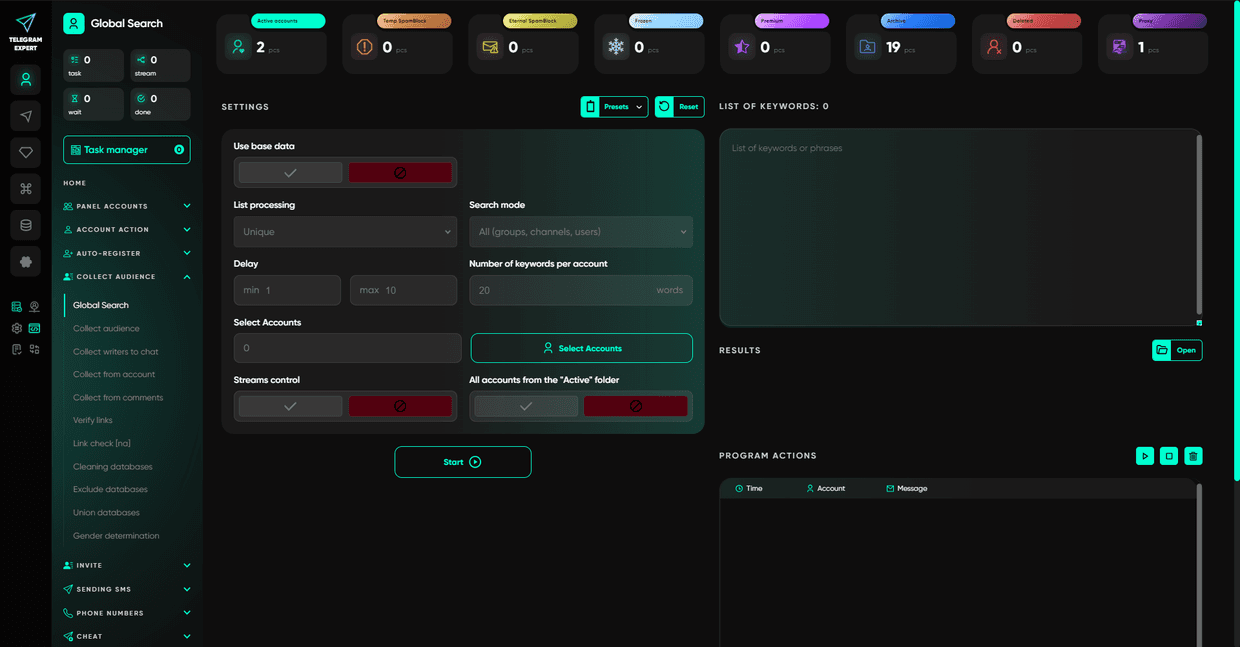
The Interceptor is an additional PRO module in Telegram Expert, so check whether it is included in your license before configuring it.
Collect Incoming Messages from Several Accounts in One Group
If a company communicates with customers through several work accounts, operators have to switch between conversations.
In Telegram Expert, the Forwarder simplifies this work. The module sends incoming private messages from selected accounts to a shared Telegram group. An employee can reply inside the group, after which the message is sent to the user from the corresponding account.
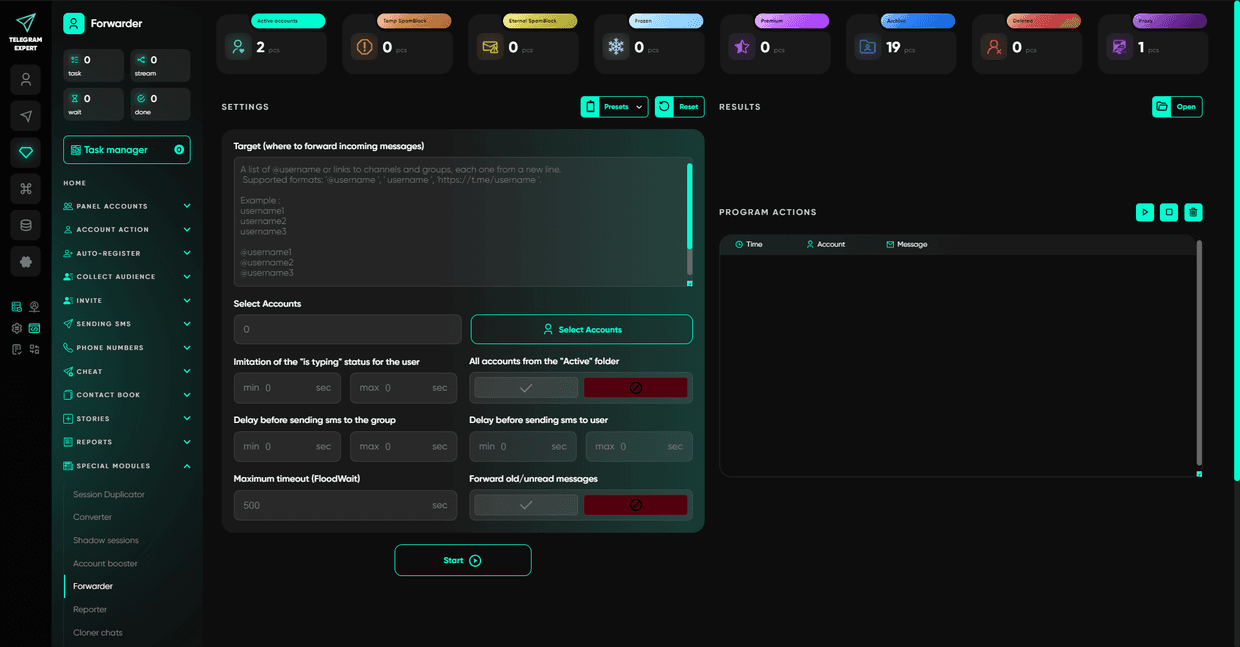
To configure it, first create an operator supergroup in Telegram. Add the employees who will handle requests and prepare the work accounts.
Then enter the supergroup link in Telegram Expert and select the accounts to forward. If necessary, accounts can be distributed among several operator groups.
The settings include sending delays and an option to forward older unread messages. After launch, send test messages to the work accounts and check that they appear in the operator group.
Then send a reply from the group and make sure it reaches the correct private conversation.
This lets employees handle requests from several accounts in one place while preserving the connection between the reply and the original dialog.
The Forwarder, like the Interceptor, is one of the additional PRO modules.
Prepare Automatic Replies for Common Requests
Once the conditions have been verified, some repeated explanations can be sent automatically.
Telegram Expert includes an Autoresponder that sends replies to incoming messages using a predefined template.
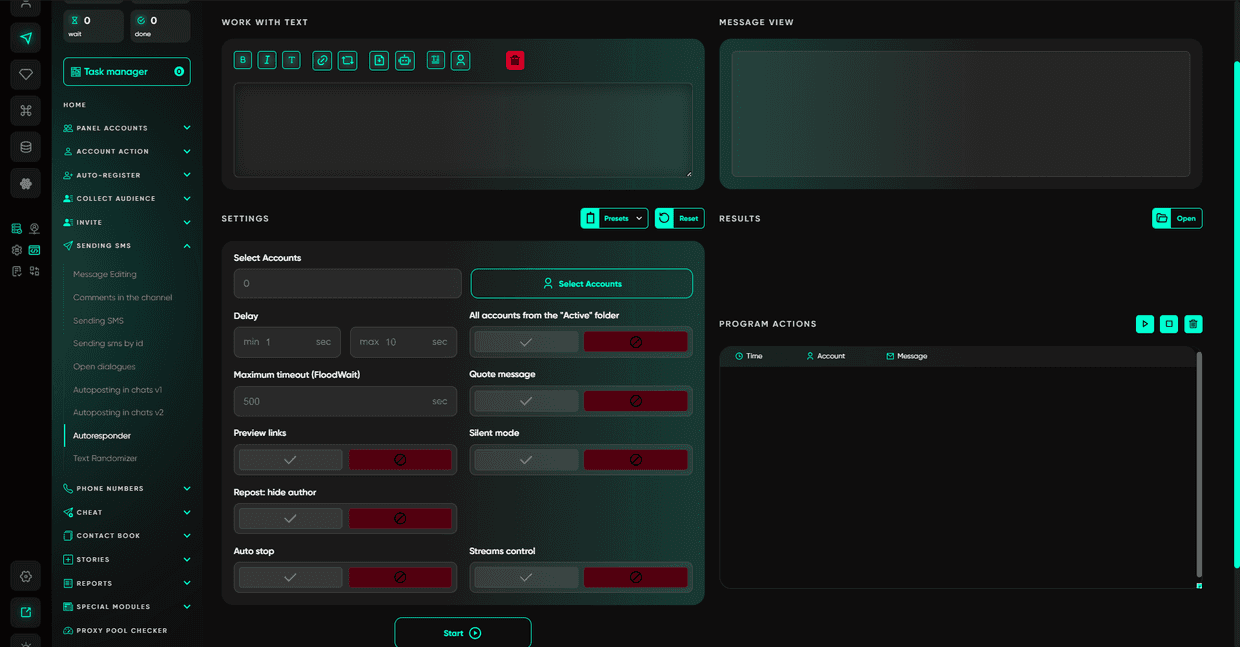
To prepare a template, choose a question with an unambiguous answer. For example, a message asking where the plan terms are published or how to contact support.
Write a short response, add a link to the current page, and check that the page is accessible.
In the autoresponder settings, select the work accounts from the “Active” folder, enter the text, and configure sending parameters. The program lets you set delays, message formatting, link previews, and other options.
Before launch, check how the prepared message looks. After enabling the module, send a test request and see what reply the user receives.
Questions about a specific payment, an access problem, or individual order terms are better handled by an employee. Answering them requires reviewing the circumstances of the request.
Check Whether It Has Become Easier for Customers to Get Answers
After changing the website and setting up message handling, repeat the initial review.
Start with the question that was selected for correction. For example, if users regularly asked about the price of an additional account, make sure new visitors can now find the full price on the pricing page.
Then compare requests across two comparable periods. To prevent changes in overall customer-message volume from distorting the picture, it is useful to calculate the share of the specific question among all requests.
Review messages from users who have already received an answer separately. A repeated request on the same topic may show that the explanation is still incomplete or the problem remains.
The search results should also be checked again. Open the previously selected queries from the same regions and see whether the current official page is available.
If the question continues to recur, review the new messages. Users may be finding the instructions but getting stuck at a particular step. In that case, the next correction should address that exact action.
FAQ
What to Do If a Question Appears in Telegram but Not in Search Console
Save it among customer requests and check the search results manually. Search Console contains data about impressions of your own site, so the absence of a phrase from the report does not rule out its appearance in Google.
Why Users Keep Asking Even When the Official Answer Already Appears in Search
Check the page the user lands on and the sequence of actions that follows. The answer may be published but still be hard to find, incomplete, or outdated.
Can SerpProxies Show How Frequently Questions Are Searched?
SerpProxies provides proxies for working with search results. Separate search-statistics sources are required to analyze query frequency.
Which Requests Should Be Left to an Operator?
An employee should handle questions that require checking individual circumstances: payments, orders, account access, exceptions to standard terms, and possible product errors.
Conclusion
Repeated customer questions help reveal places where the information or the process itself needs attention. Start with real requests, check the corresponding search queries, and follow the user’s path to the required answer.
After fixing the website, organize ongoing monitoring of new questions. In Telegram Soft Expert, you can use message monitoring, forwarding requests to operators, and automatic replies based on verified templates.
Evaluate the result through specific user actions: whether people can find the information they need, complete the task on their own, and whether employees still have to explain a question that has already been addressed.
This guest post was written by the Telegram Expert team. Telegram Expert helps teams handle the day-to-day workload of multi-account Telegram projects, from account checks and database cleanup to messaging campaigns, invitations and proxy management.